My Attendant
Better Maids & Butlers!

By nyaiera
Published: Dec 03, 2025
23,166
3
Introduction
My Attendant is a new companion who will join adventurers on their journey in Black Desert!
- My Attendant lets you fully customize maids and butlers appearance and customize their outfits
- This customization is like regular character customization they can even wear and have dyed outfits
- My attendant can also follow you around town and engage in social actions with your character
- Outfits worn by My attendent are cash shop outfits, you'd still need to obtain those in the usual ways
What is My Attendant?
My Attendant was first announced at Heidel Ball 2025, they've been added to be a customizable version of a maid / butlers rather than just the standard look of a maid outfit or a butler outfit.
Changing their appearance will require a Value Pack or an Appearance Change Coupon just like character customization, you will need at least one or more maid or butlers in order to use this feature.
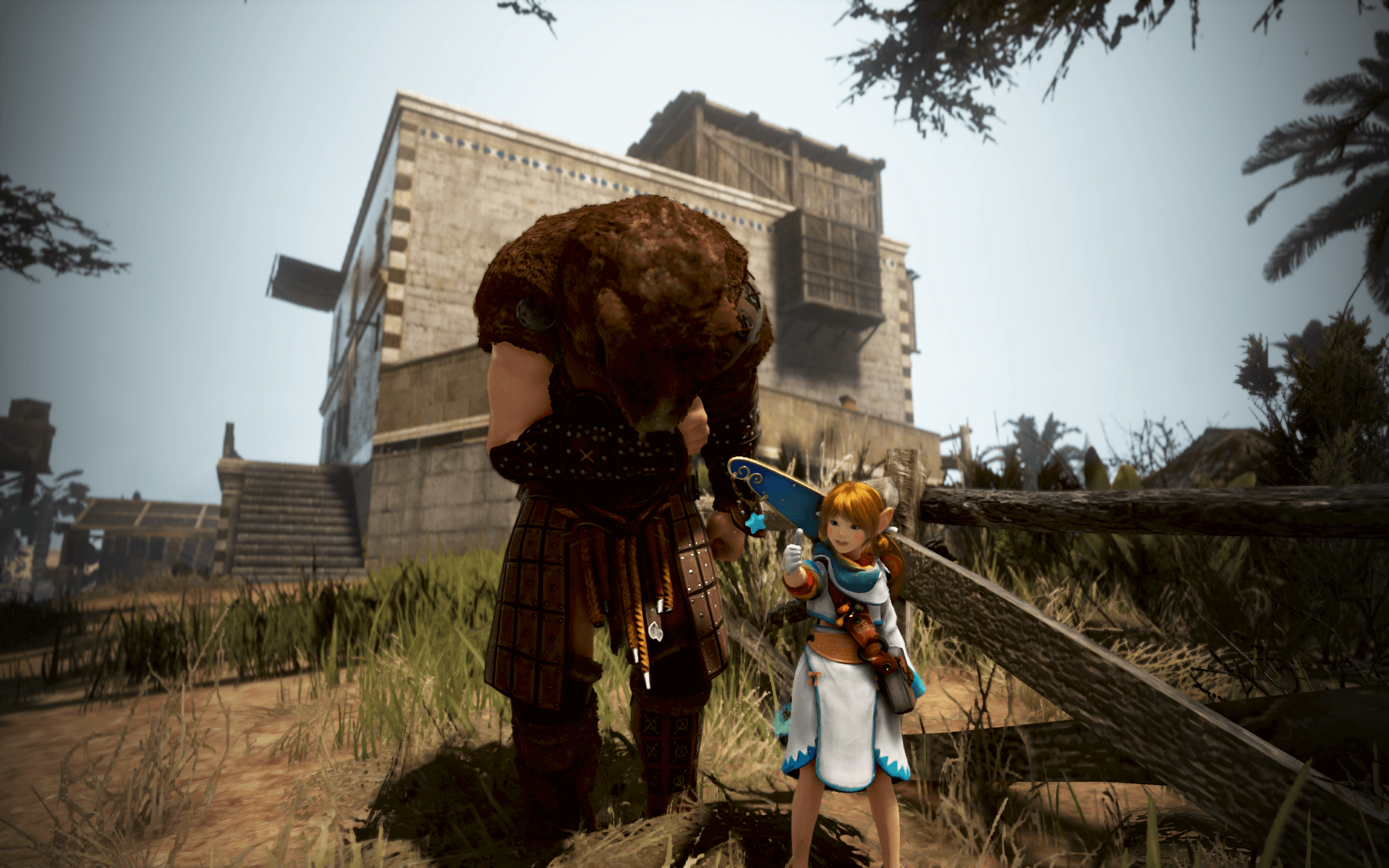
They have a few different features that differentiate them from a regular maid or butler as well but most people will probably just use them as customizable maids.
How To Use My Attendant
To access the My Attendant feature, click on the maid and butler icon in the top left of the screen by the other available icons. You'll then see a new option that's been added.
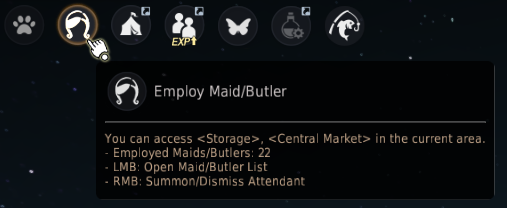
As mentioned earlier you'll need at least one maid or butler in order to use this feature, your first My Attendant created will be set as your main attendant by default.
Make sure the feature is enabled by selecting the "Apply Attendant" button in the bottom left of the maid / butler list, this will apply the appearance to of all maids/butlers.

Right clicking in the maid / butler icon will summon the attendant, you can also select the Follow (Attendant) button to make the attendant follow you through the town.
When you initially make your my attendant you'll be asked what class you want to use as a base for your attendant, this lets you customize that class like you would any other character.
This is important because you can also customize your attendant with cash shop outfits, it uses the same outfits that classes usually use, so if you've got spare outfits for a class that might be a good option.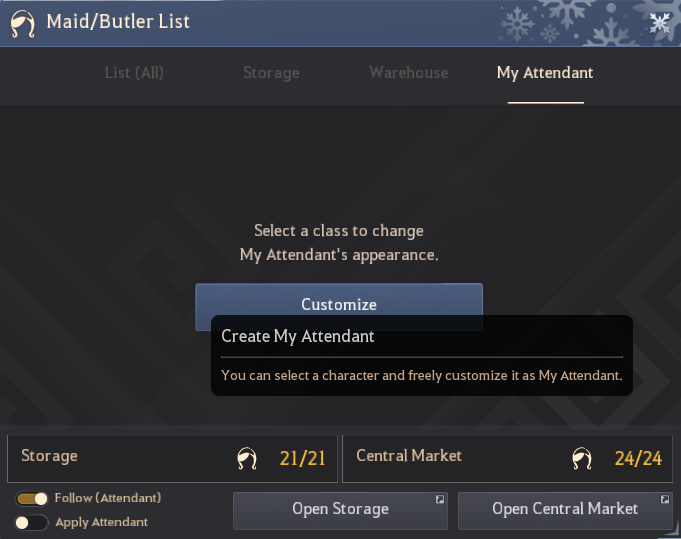
Currently all of the classes are available to be used as an attendant. You'll also be able to customize the attendant's name as well unlike with regular maids and butlers.
I think this feature will be really popular with people who love messing with BDO's character creator given how it's essentially just having a second character to customize how ever you'd like.
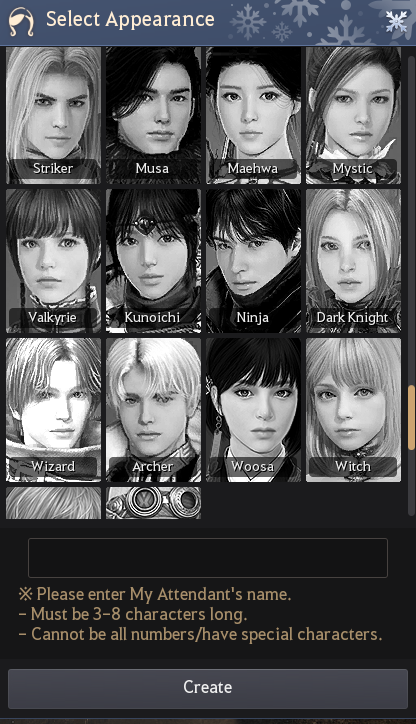
Once you've chosen a name and a class for your new Attendant, you'll be able to see a new UI when opening the maid/ butler UI window. This lets you manage or summon your Attendant.
If you summon the attendant then you can see extra information about the attendant's outfit as well as more customization options. 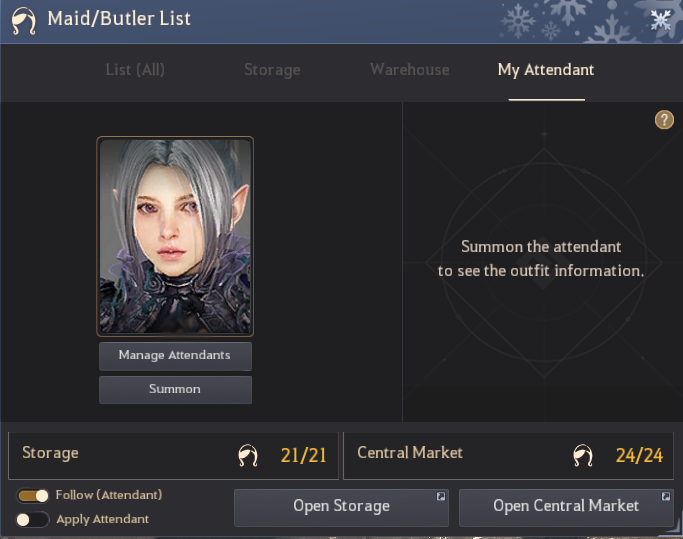
You can have up to 10 different attendants, letting you have a whole bunch of characters that you can customize as attendants.
You can also change, create or delete attendants using the manage attendant button. it'll open a new window showing all of your currently created attendants: 
Using the button in the bottom left corner you can also change the name of your attendant so don't worry too much about picking a name for them when you first create them. 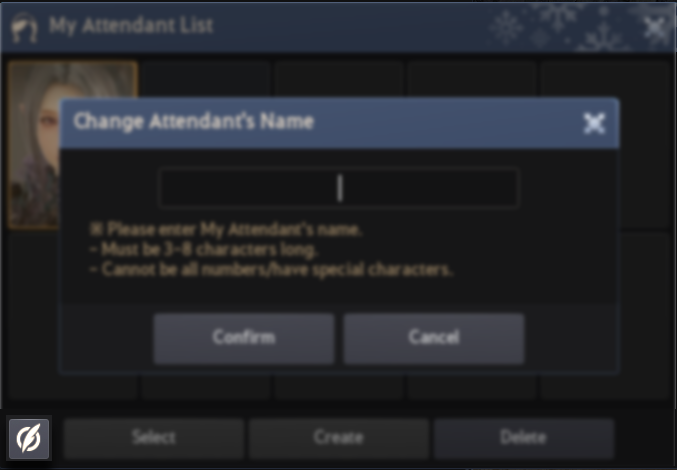
After summoning your attendant you'll get a few more options, this is where you can customize them. Click the mirror icon and you'll be able to change their appearance.

You'll be to customize their appearance but you'll need an active Appearance Change Coupon or Value pack in order to change their appearance.
When you click on the mirror it will bring up the character creator as if you were creating a new character entirely. This will also let you download an appearance from the beauty album. 
If you need more beauty album choices from other regions than the game server you're playing on, why not check out our Garmoth Beauty album, here's our guide for it!: 
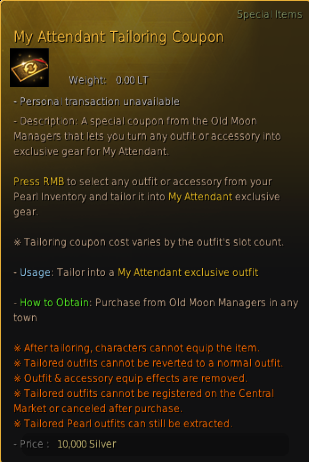
For Outfits, you'll need to purchase a new item called the “My Attendant Tailoring Coupon” item to allow the Attendant to wear cash shop outfits.
You can grab these from Old Moon Manager NPCs for 1 million silver each from pretty much any major city:

Just right click the My Attendant Tailoring Coupon and you'll be able to convert an outfit into an outfit that can be worn by your attendants. The amount of coupons you need will depend on what you're converting.
Converted Attendant outfits can't be equipped by characters nor can they be reversed to normal ones.
Outfits that support conversion to the box form (e.g., Nouverikant, La Orzeca) can still be converted back into boxes. When opened, they grant a normal outfit usable by characters.
| Item Description | Usage Example |
 |
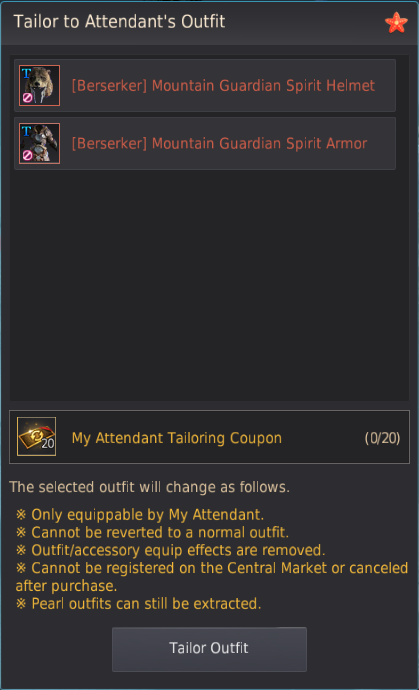 |
Characters in your Family will be able to summon My Attendant and move exclusive outfits into the Pearl Inventory. It's also important to know that any extra crystal socket effects will be removed upon conversion.
Converted outfits cannot be registered on the Central Market but Converted Pearl outfits can be extracted.
You can toggle showing/hiding My Attendant's name via the My Attendant Name Settings under ESC → Settings → Show/Hide.

Attendant Social Actions
You can choose to make your attendant do different social actions, you can also choose to have them maintain these social actions as well.
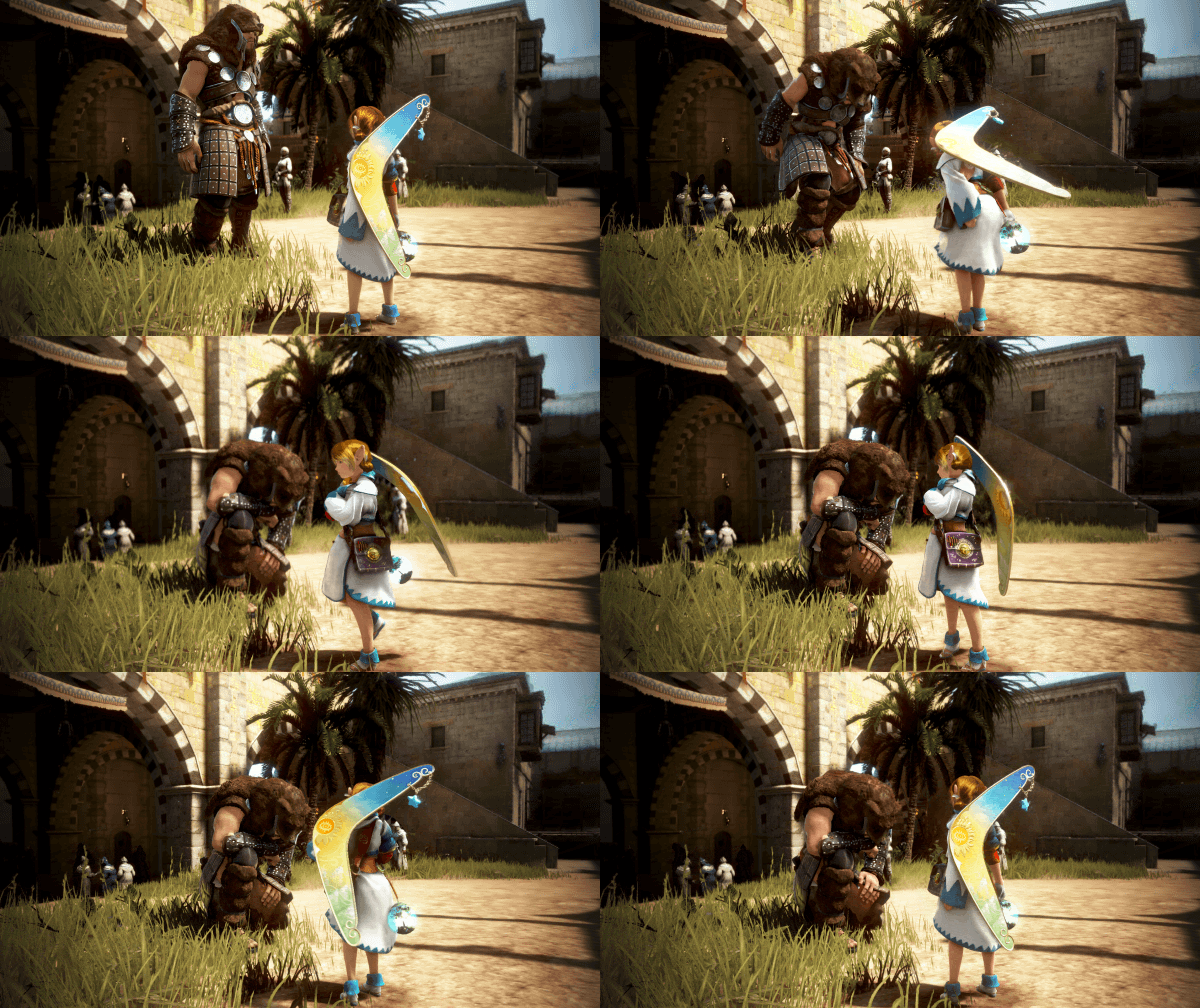
There's now extra options when you look at emotes, you'll be able to see the "Attendant" and "Together" options to the Social Action window.
You can select the "Together" option to perform Social Actions with both your character and attendant, letting them interact together.
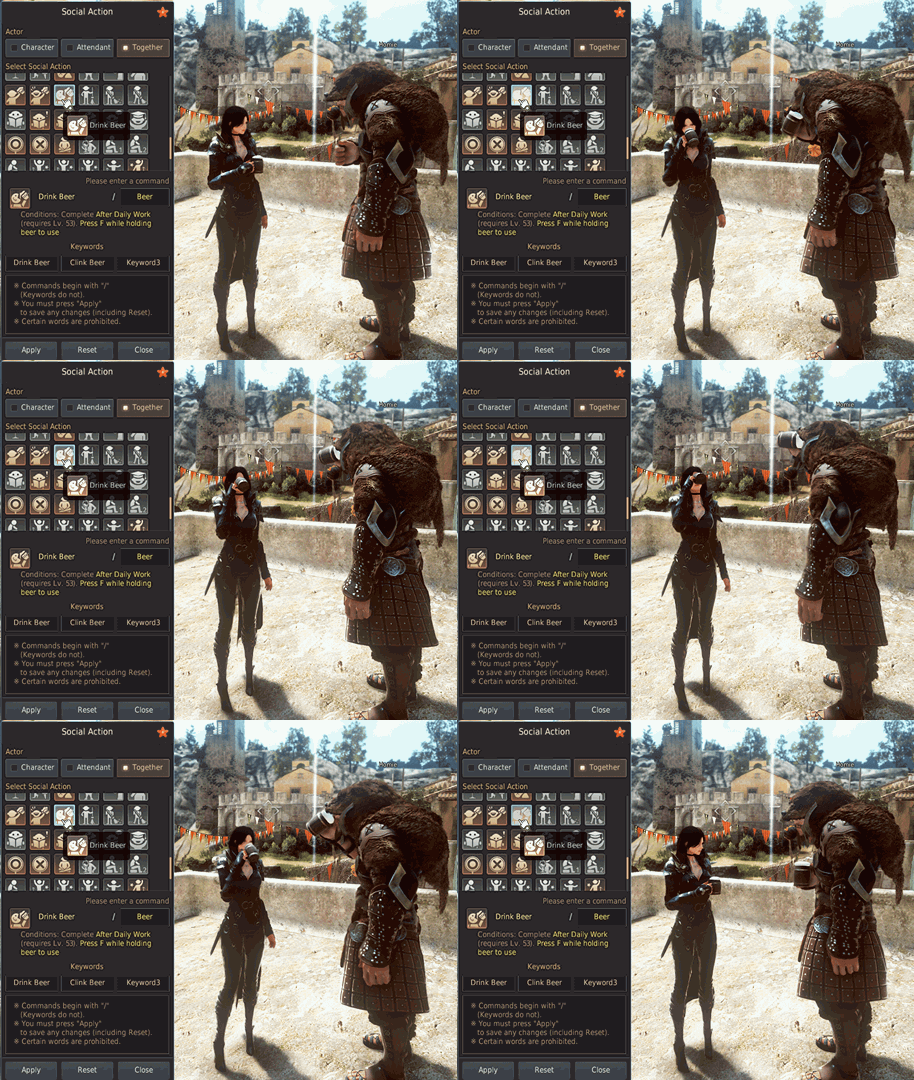
When you set your "My Attendant" to follow you around in town, there's a few things to keep in mind, if you get too far from your Attendant, they'll teleport to your location.
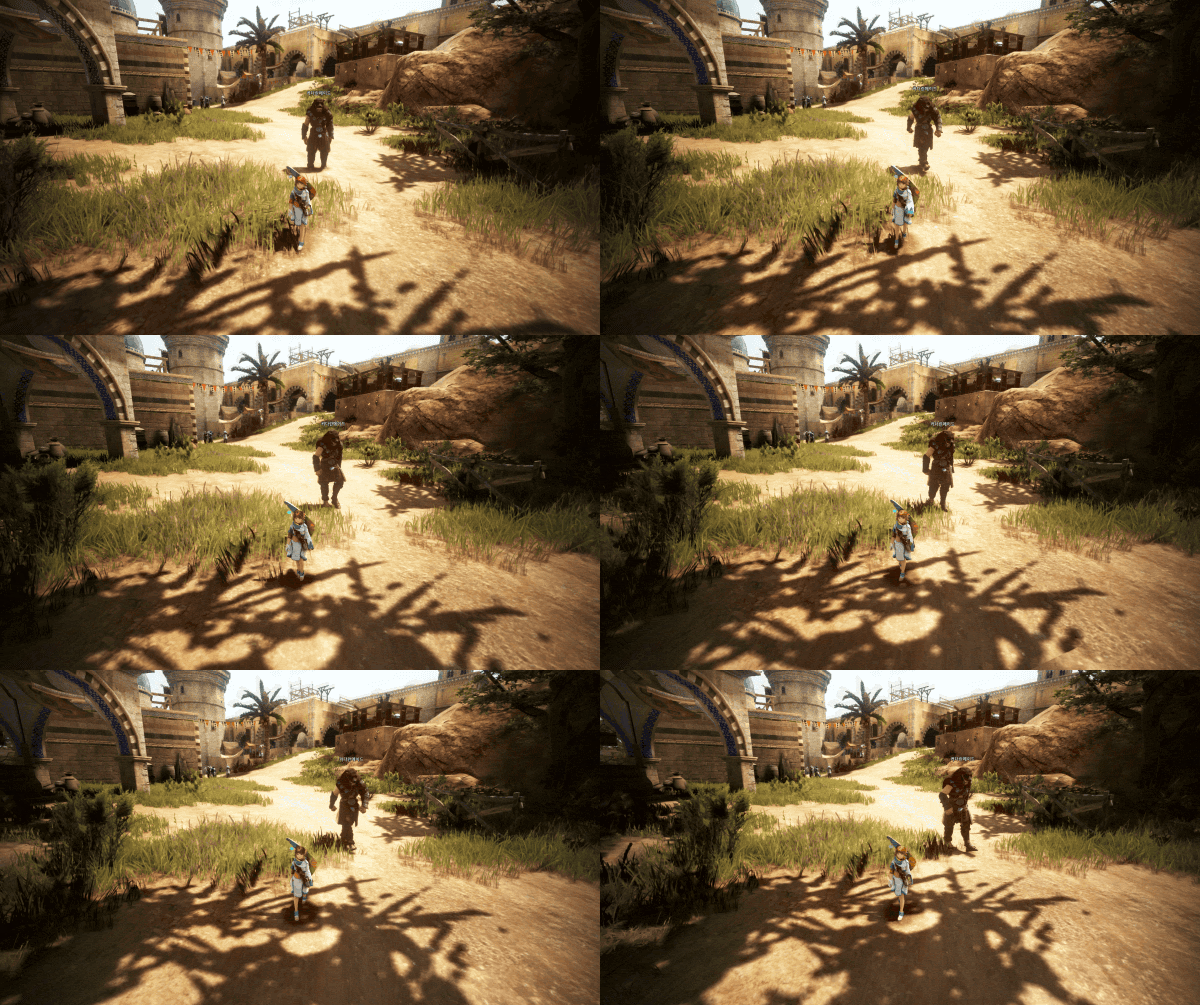
If you leave town it'll automatically dismiss your attendant, You can keep My Attendant summoned in the following towns and cities:
- Velia, Heidel, Calpheon City, Altinova, Valencia City, Grána, Nampo Moodle Village, Duvencrune, O'draxxia, Oquilla's Eye, Eilton, Muzgar, and Hakinja Sanctuary
Extra Notes on Attendants
There's a few extra things to be aware of when using your new attendants but they're pretty self explanatory:
- When summoning attendants to open storage/warehouse, they will be dismissed after a short period upon use.
- Storage/Transaction Maids/Butler: Waits while storage/warehouse opened, dismissed after use.
- My Attendant: Waits while storage/warehouse opened, dismissed after a short period upon use.
- My Attendant will be automatically dismissed if left idle for 30 min after summoning.
- Even if My Attendant is performing a Social Action that is maintained while idle, they will be automatically dismissed as well.
- My Attendant cannot be summoned during Node/Conquest War, War of the Roses, and other similar content.
- If summoned outside town/major cities, My Attendant will be dismissed after a short time.
- If you apply My Attendant's appearance to your maids/butlers, only My Attendant will appear in your residence if the Maids/Butlers feature is enabled.
Have you made your attendant yet or is this kind of social feature not interesting to you? Let us know! 

