How to Access Global Lab
Try Agent Early!

By nyaiera
Published: Jul 01, 2024
Updated: Jul 26, 2026
40,223
4
Introduction
The Global Lab is a test server that lets players test upcoming content and patches before release!
- Trying new classes before they are released is usually the biggest appeal to trying the Global Lab
- Balance patches and upcoming content is usually added to the Global Lab server before release
- You can transfer over your game data to the Global Lab server, letting you have your progress there
- Dosa, the newest class at the time of writing, will be available to test on July 1st
How To Access the Global Lab Server
In order to access the Global Lab you'll need to have a character that's at least Level 56. You can access the Global Lab from the Esc menu.
Open the Esc menu and search for the Global Lab option, Menu (ESC) - Adventurer Support - Black Desert Global.
You'll be asked to login to your account, this is your Black Desert login details, the same ones you would enter into your launcher to login.

Once you've logged in you'll be given the option to choose a server to transfer your character data too, this will let you have your progress on the Global Lab server.
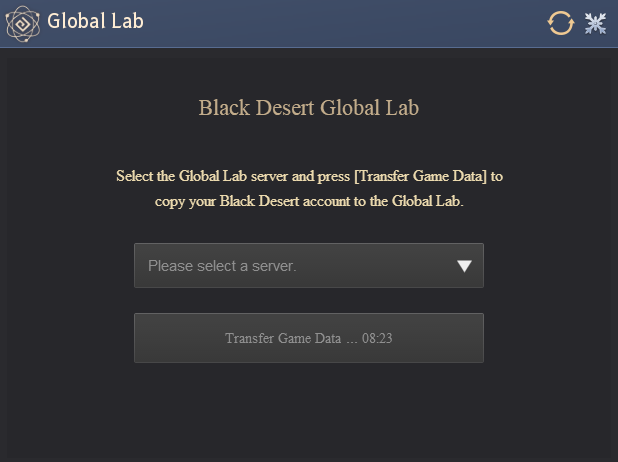
You'll be able to select a server to transfer your data over too, this is important as you'll need to select it later when you login.
After transfering your data over, you'll need to close Black Desert and head over to the Global Labs website here!
This is because the Global Labs server requires a separate client, which you can download from the site.

When installing the Client you might be given a warning to suggest uninstalling Black Desert before you continue.
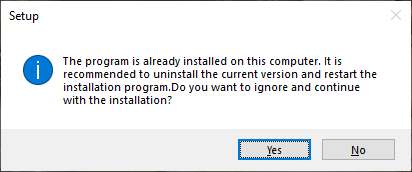
Ignore the warning and don't uninstall your original Black Desert client, you can have both installed at the same time.
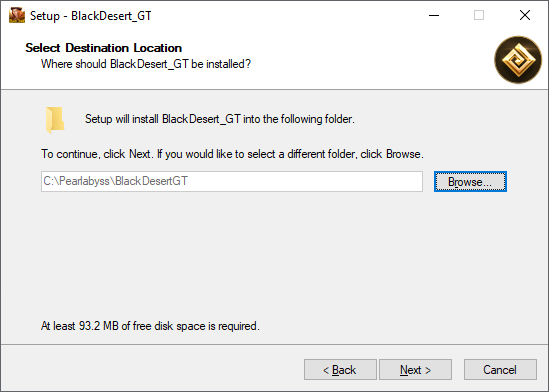
The Global Lab will have GT included in its folder name so it shouldn't overwrite anything but if you're unsure, you can make a new folder to place it in or place it on a different storage device.
When you log in make sure you select the region that you moved your character data over too:

When you login your character's names will be randomized, so don't be alarmed when you see your characters names missing, it's normal.
Once you get logged in, you'll be able to create new characters like Agent, but won't be able to create Season characters. The character you make will already be Level 63.
But you're able to find NPC Eiorah to gain all the gear you'll need to test things out by purchasing gold bars and selling them.
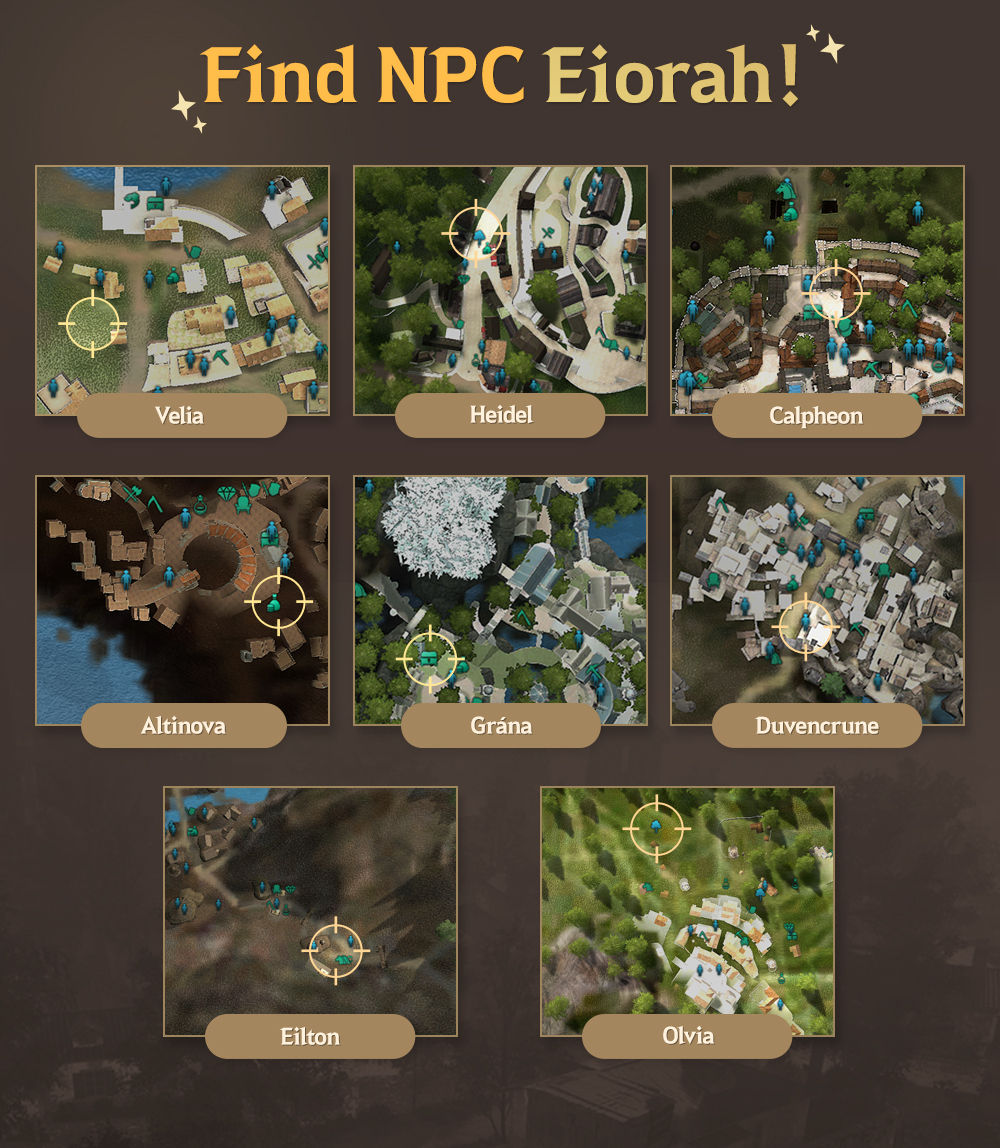
Check your (Y) menu for free items and then there are the gold bars you'll need to purchase and then sell back, giving you as much silver as you'd like:
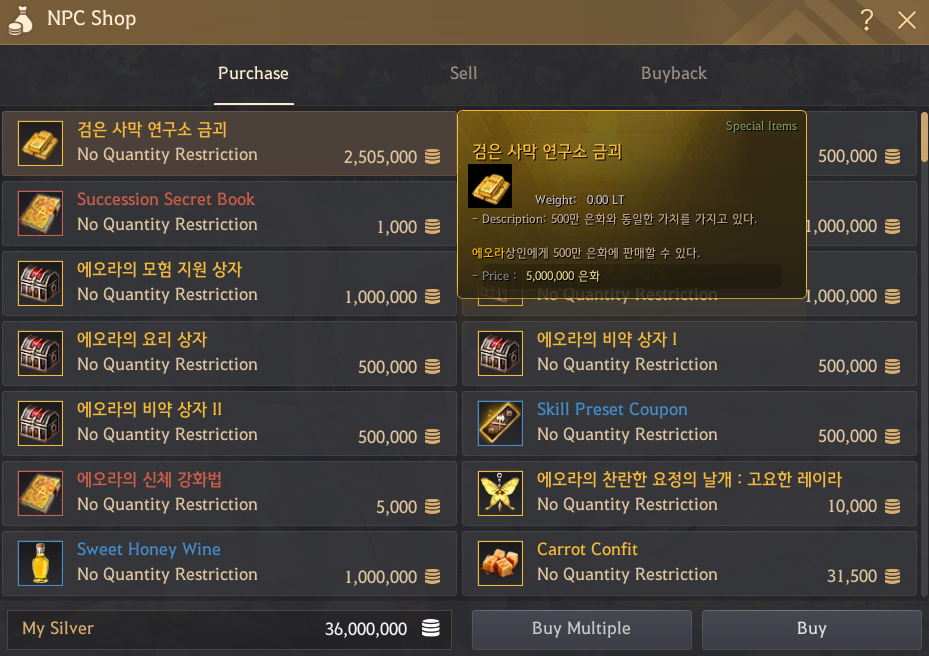
The shop also sells other items like boss gear, though a lot of the item names are in Korean as you can see from the image above.
If you don't have any silver (because logging in to the server for the first time gives you 0) you can grab some from your Family fame login reward: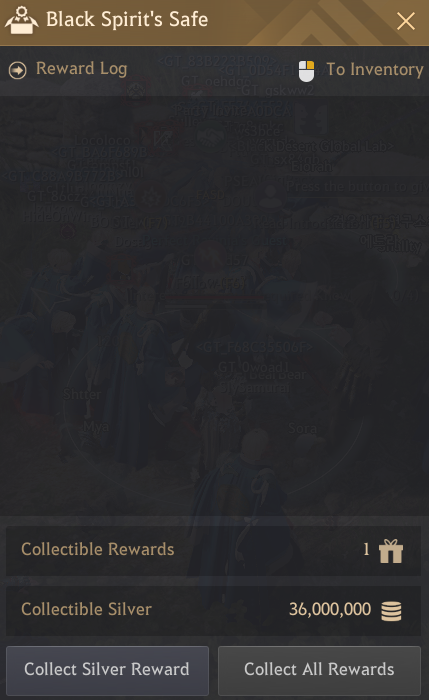
This will give you enough to purchase the gold bars as much as you like so that you can gear up and test whatever you'd like.
Do you want to use the Global Labs to test content or do you already do so? Let us know!
Why not check out some of our other guides while you're here? 

